Virtual Staging Examples: Before & After by Room
See real transformations: empty rooms to stunning showcases in 30 seconds.
Browse these AI virtual staging before and after examples to see exactly what StageHQ can do for your real estate listings. Whether you need to add furniture, update décor, visualize a renovation, or remove existing furniture — our AI delivers photorealistic results instantly. Every image below is unretouched output; the staging statistics explain why it pays off. Want the whole set? All 26 before and after examples are on one page, grouped by room, style and task.
- 30-second transformations
- Works for any room type
- 30+ design styles
- 4K resolution output
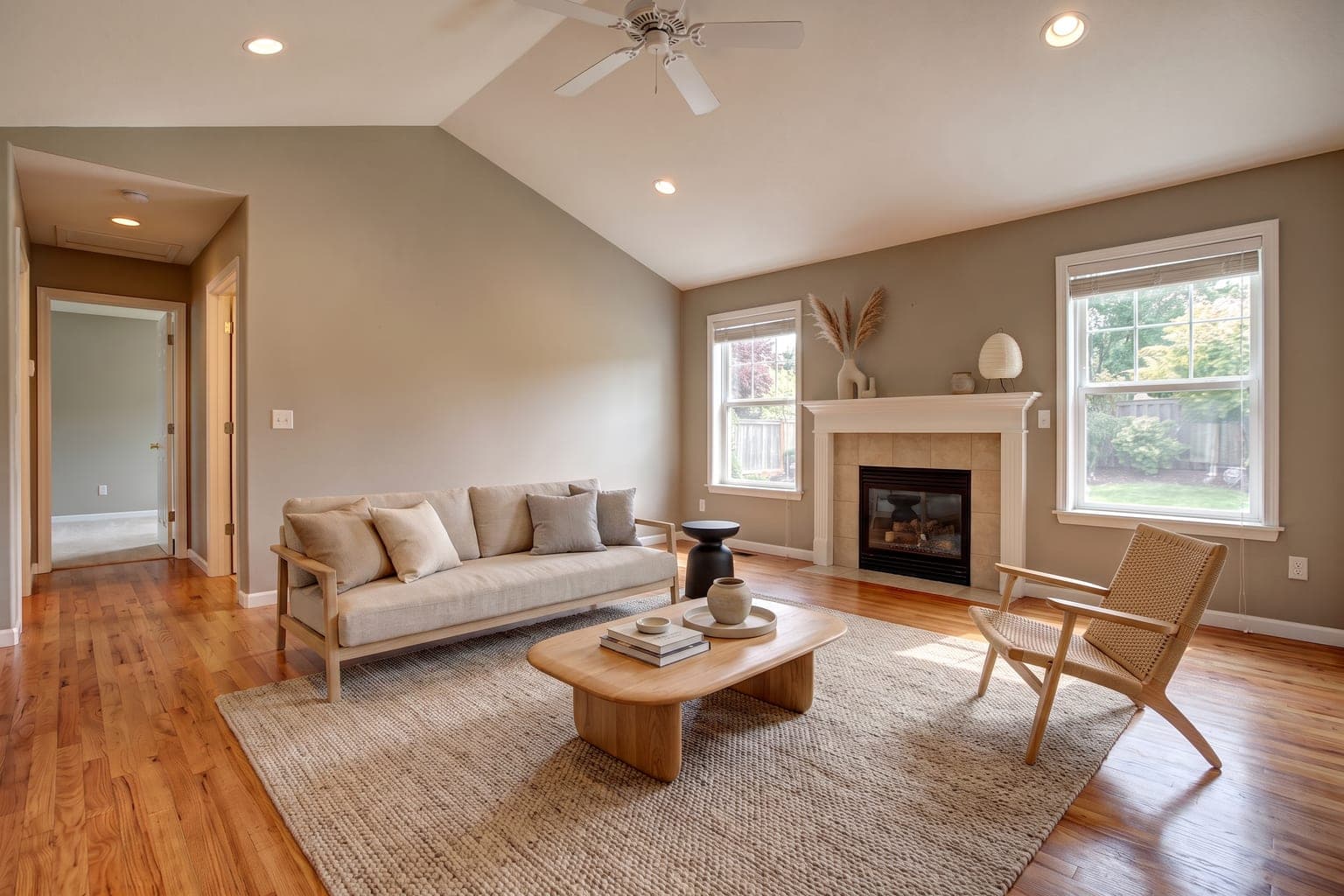
Precise Virtual Staging: Living Room Example
Best for: MLS listings where you need accurate representation. Precise staging adds furniture and décor while keeping the room's actual walls, floors, and finishes unchanged. Real estate agents love this mode for compliant, realistic listings.
 BeforeAfter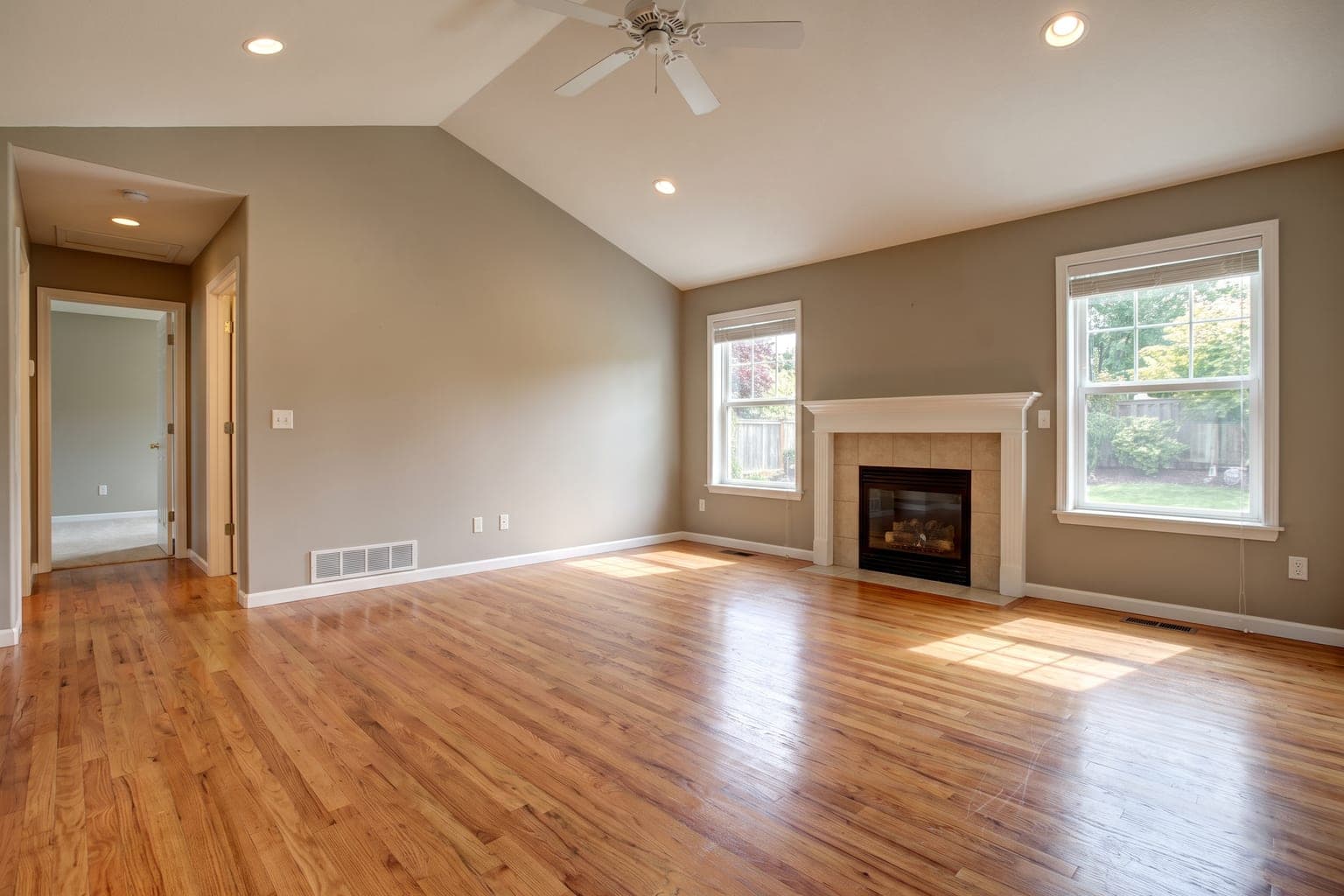
Result: This empty suburban living room was staged with a linen sofa, oak coffee table, woven rug, and a styled mantel in Japandi style. The AI kept the hardwood floors, fireplace, windows, and wall color exactly as photographed.
Related: living room virtual staging · Japandi style · MLS-compliant staging
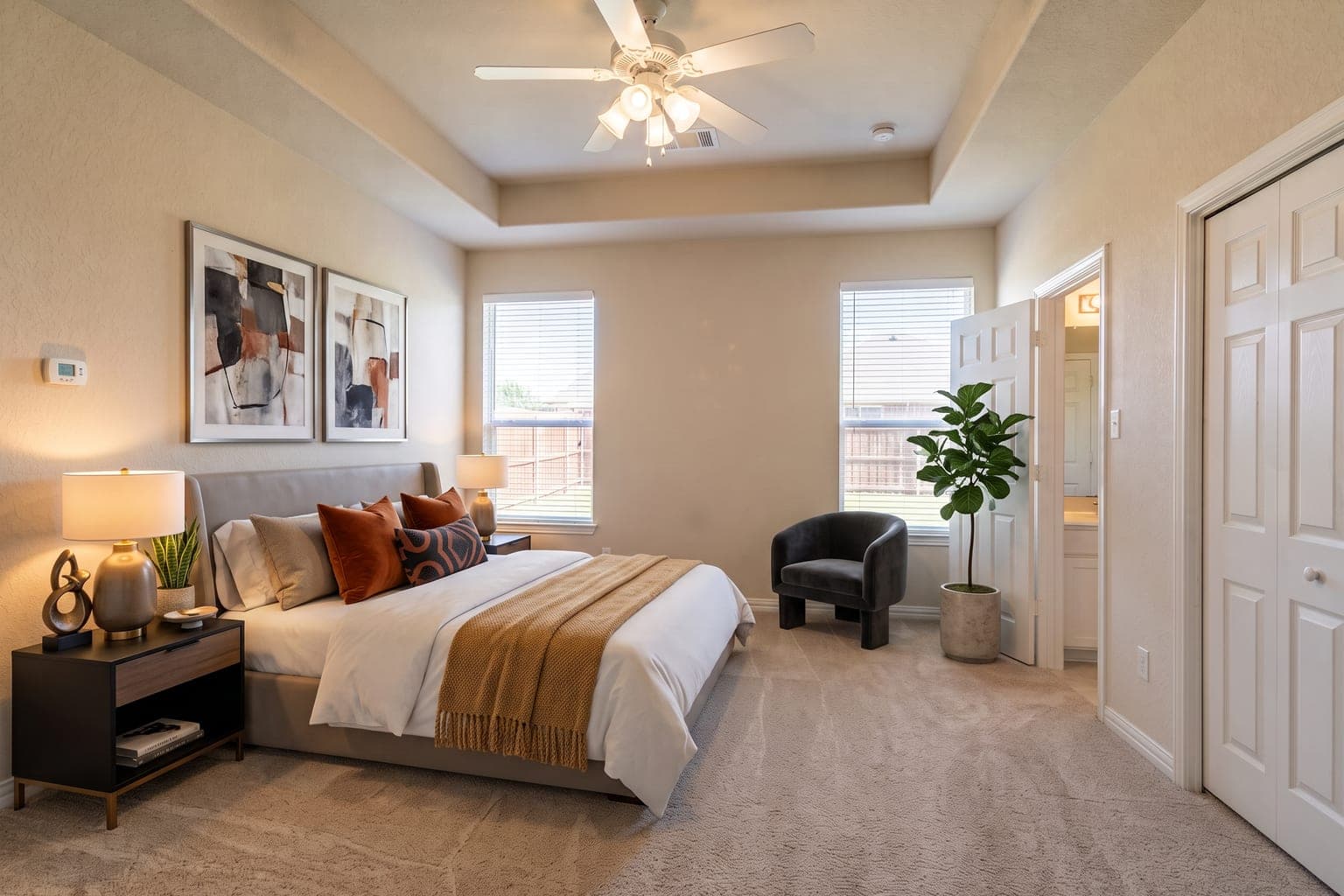
Creative Virtual Staging: Bedroom Example
Best for: Marketing materials, social media, and luxury listings. Creative staging goes beyond furniture—adding artwork, plants, lighting, and decorative accessories for maximum visual impact.
 BeforeAfter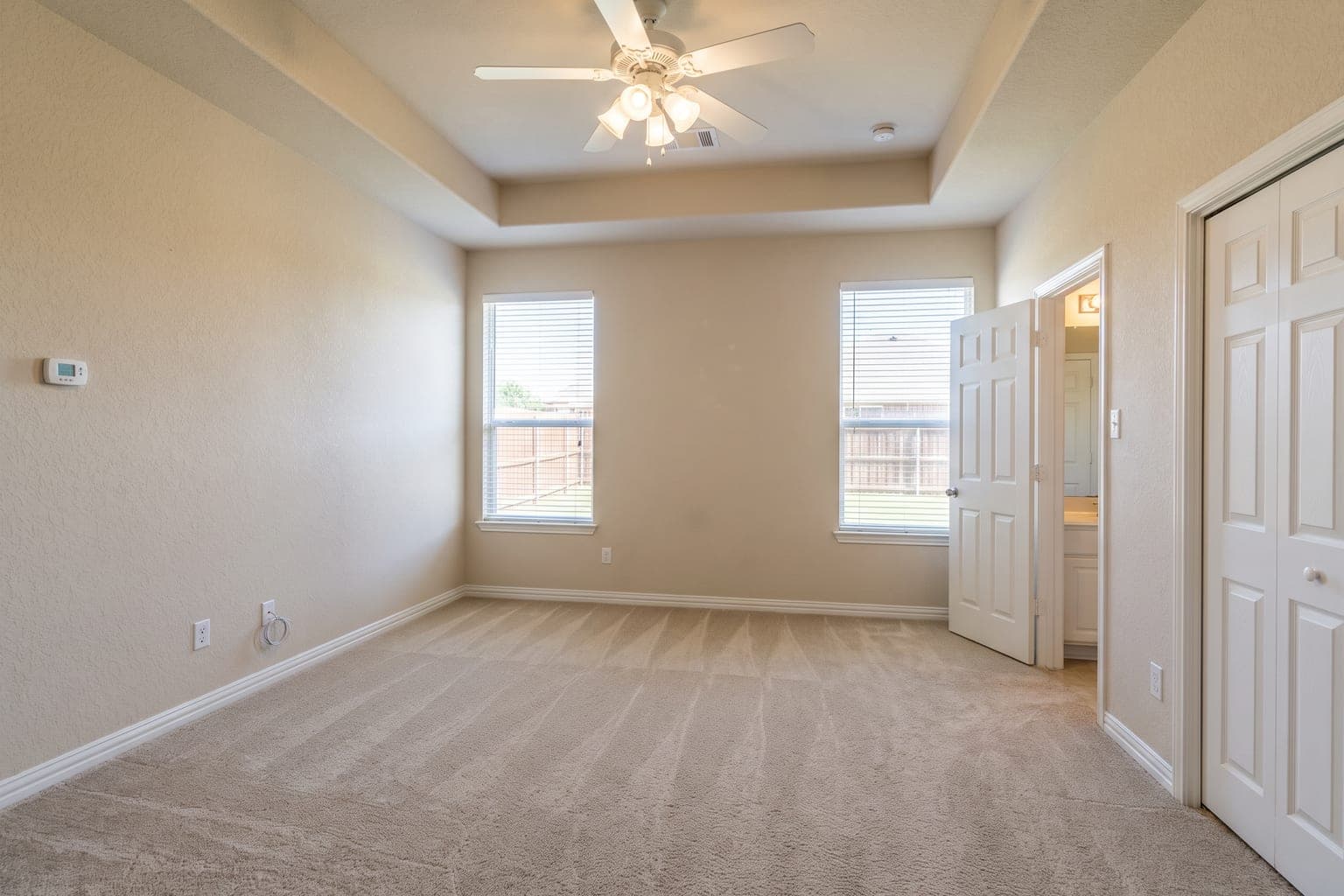
Result: This carpeted primary bedroom became a finished retreat with an upholstered bed, nightstands and lamps, a reading chair, gallery art, and a fiddle-leaf fig. Creative mode layers in the décor a stager would bring on install day, while the closet, doors, and windows stay clear.
Related: bedroom virtual staging · luxury style · contemporary style
AI Renovation Visualization: Kitchen Example
Best for: Showing potential in dated properties, fixer-uppers, and renovation projects. AI renovation updates finishes like cabinets, counters, flooring, and fixtures to show what could be — clearly labeled as a concept, not the current condition.
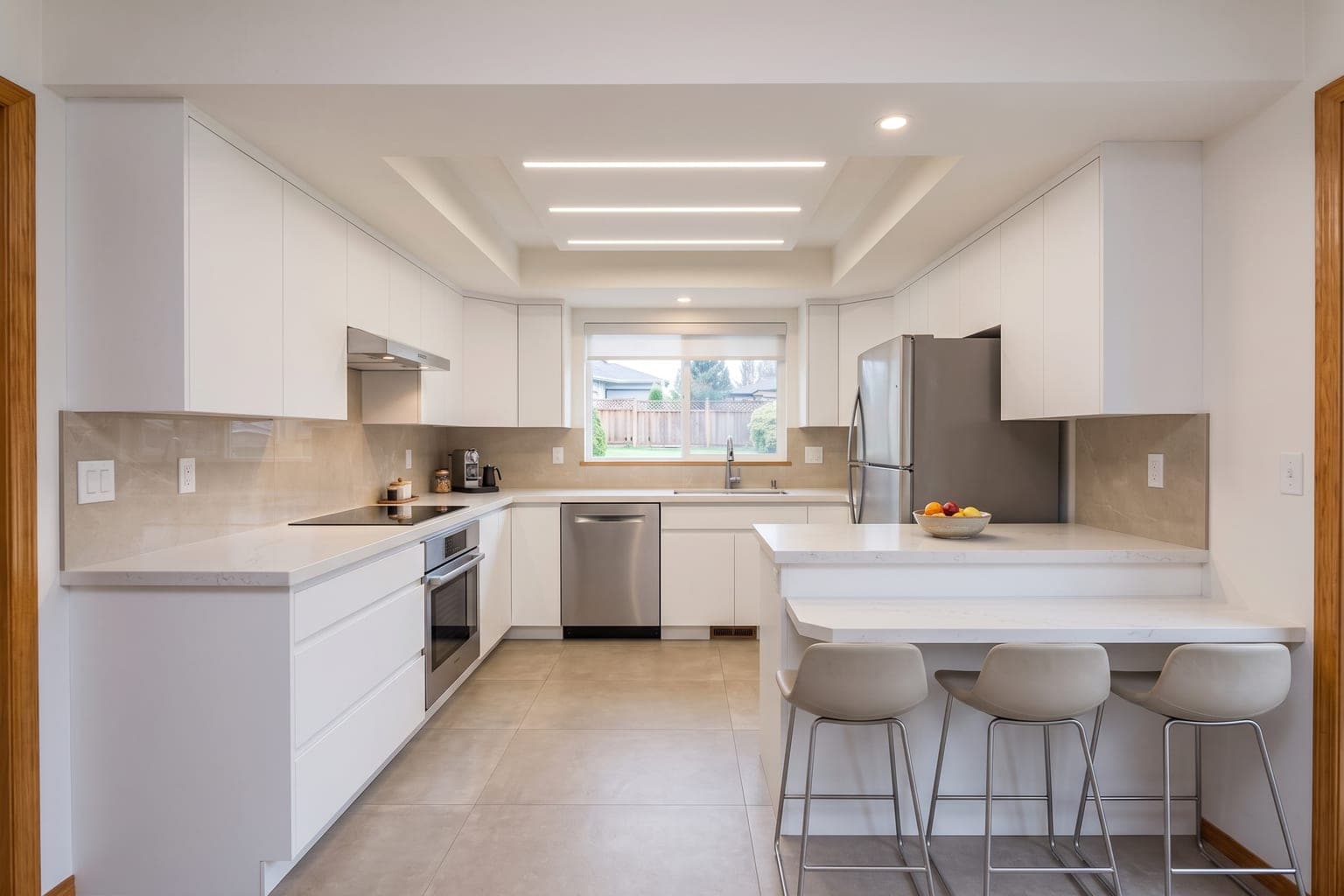 BeforeAfter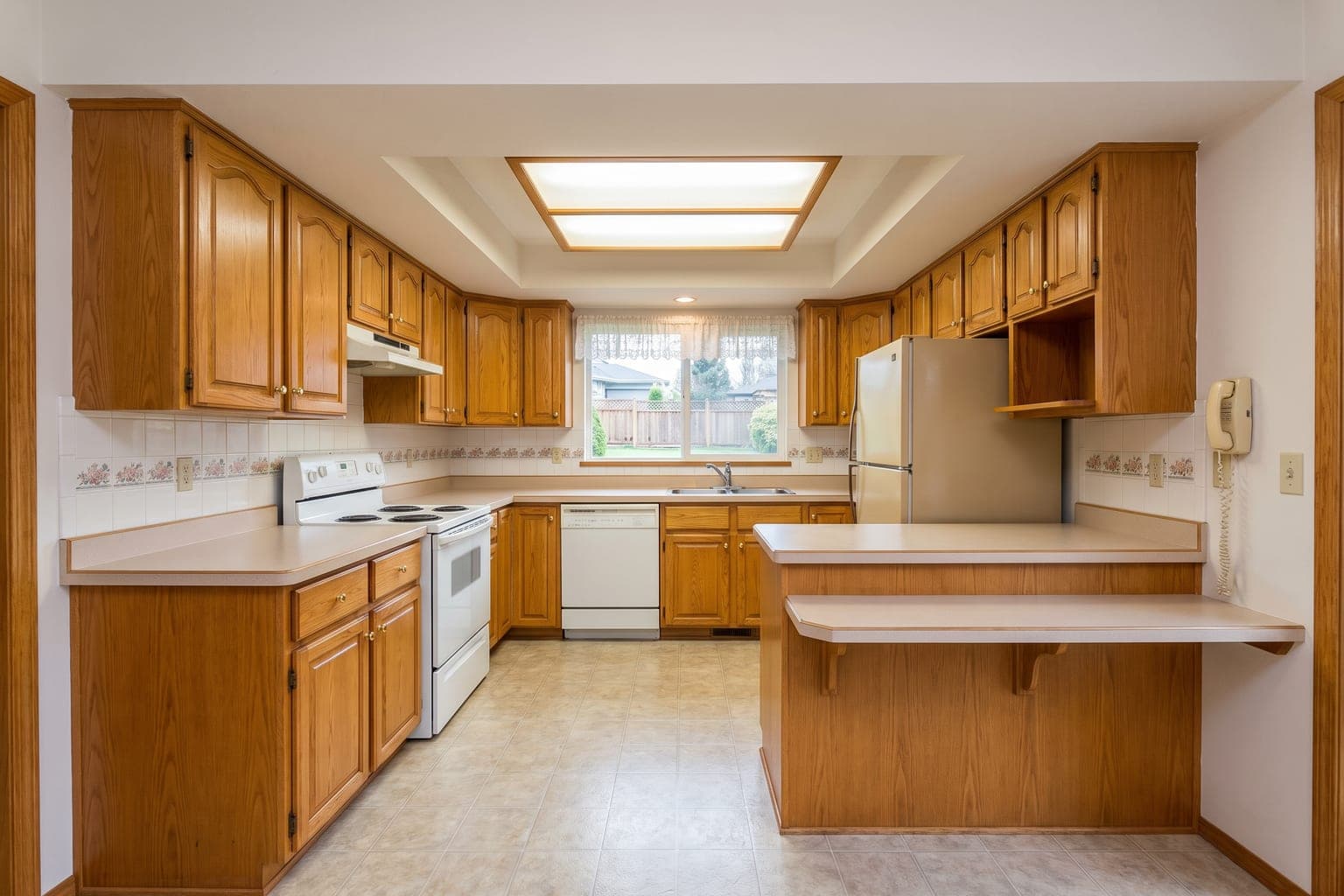
Result: This 1990s kitchen with honey-oak cabinets and laminate counters was reimagined with new cabinetry, quartz counters, a tile backsplash, and updated flooring, while the layout, window, and appliances stayed in place. Buyers can picture the upside without a single demo day.
Related: kitchen virtual staging · staging for house flippers · modern style
Remove Furniture: Occupied Living Room Example
Best for: Occupied listings, tenant turnovers, and estate sales. Remove Furniture erases the seller's belongings and clutter so you can list an empty room — or restage it in a style buyers respond to.
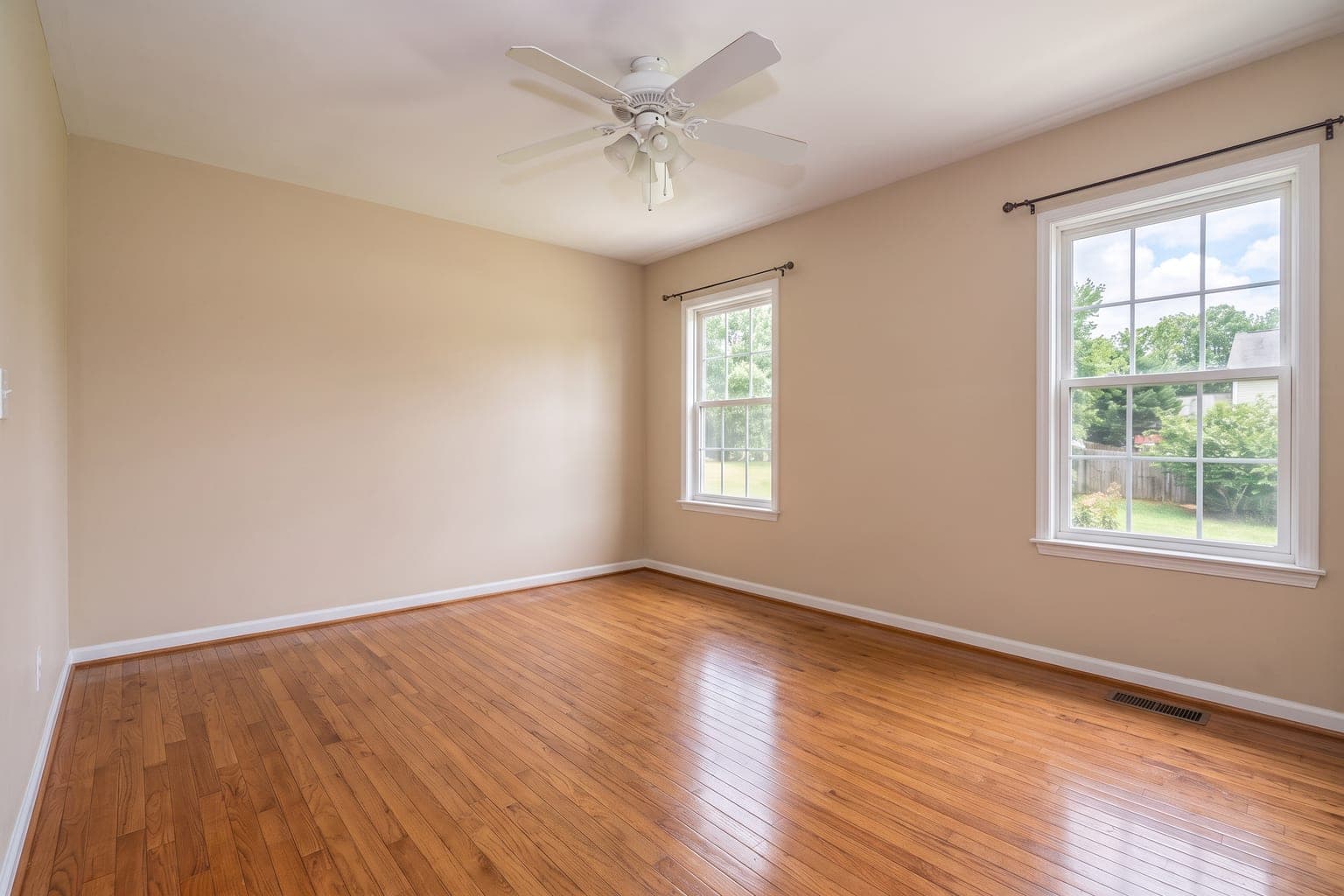 BeforeAfter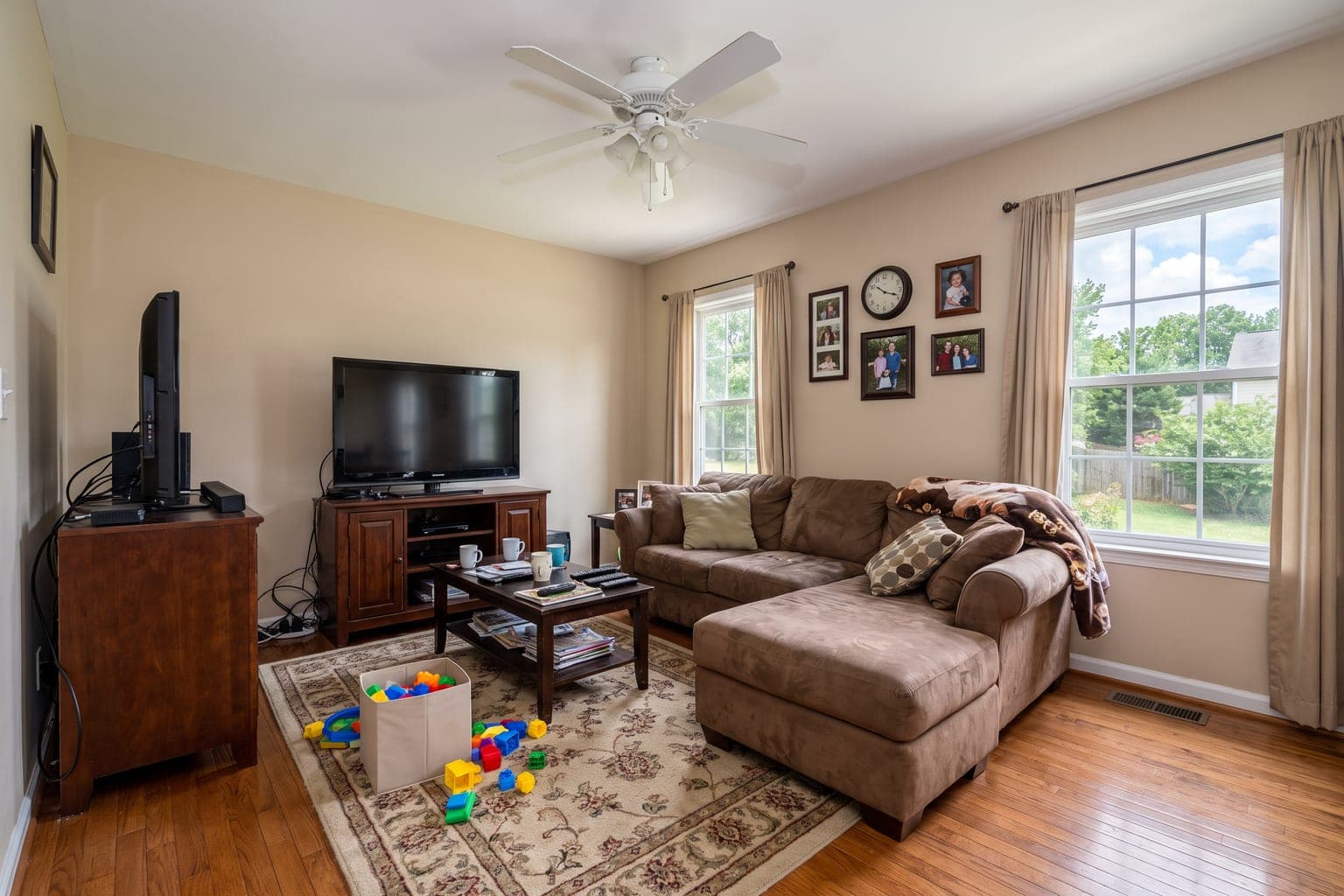
Result: The sectional, TV cabinet, rug, toys, photos, and cables are gone, and the AI rebuilt the hardwood floor and wall behind them. The ceiling fan, windows, and curtains were left exactly as photographed.
Related: remove furniture from photos · AI room staging · MLS-compliant staging
Virtual Staging for Open Concept Spaces
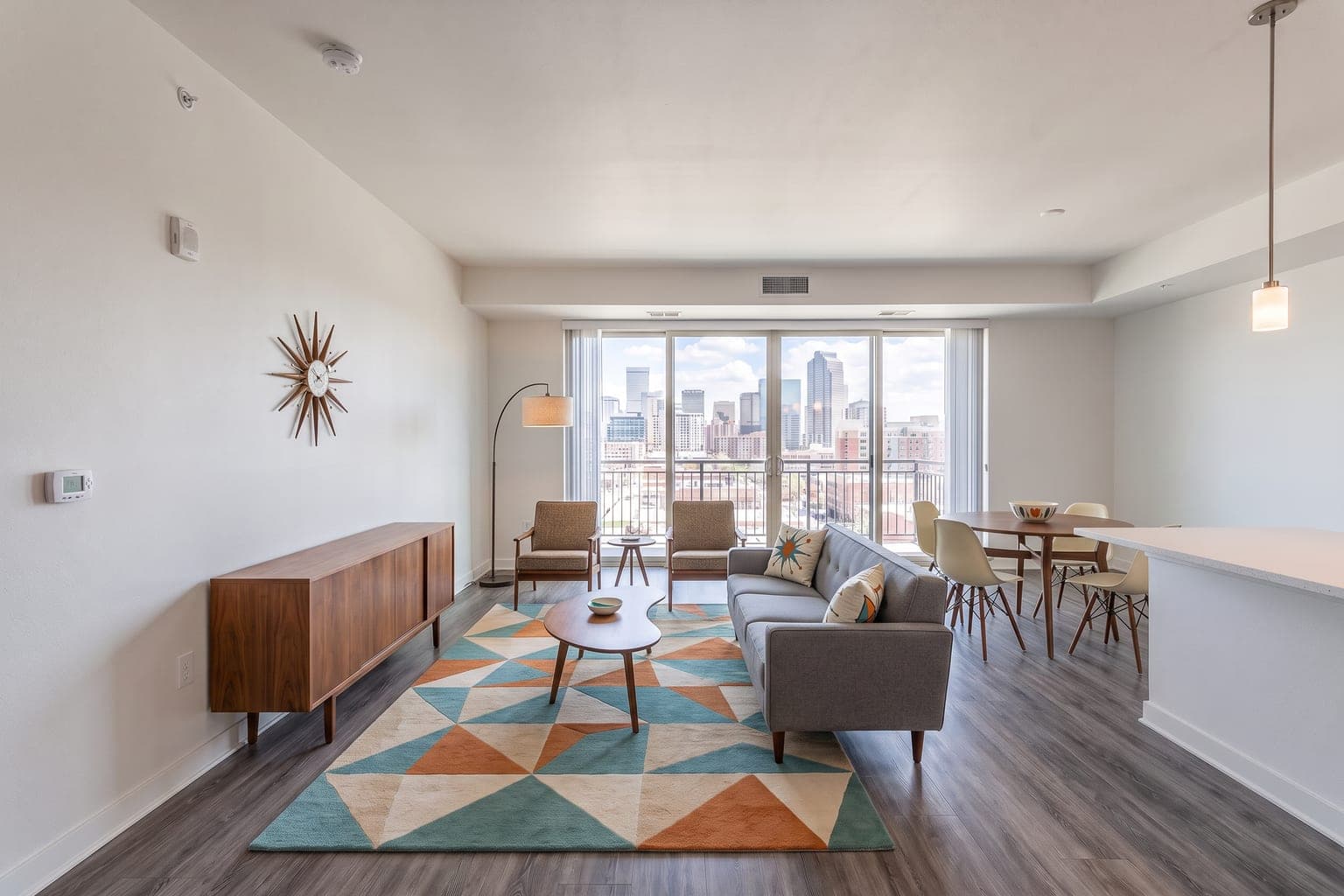
Best for: Large open floor plans, lofts, and combined living/dining areas. Our AI understands spatial flow and zones open areas with purposeful furniture groupings that help buyers understand the layout.
 BeforeAfter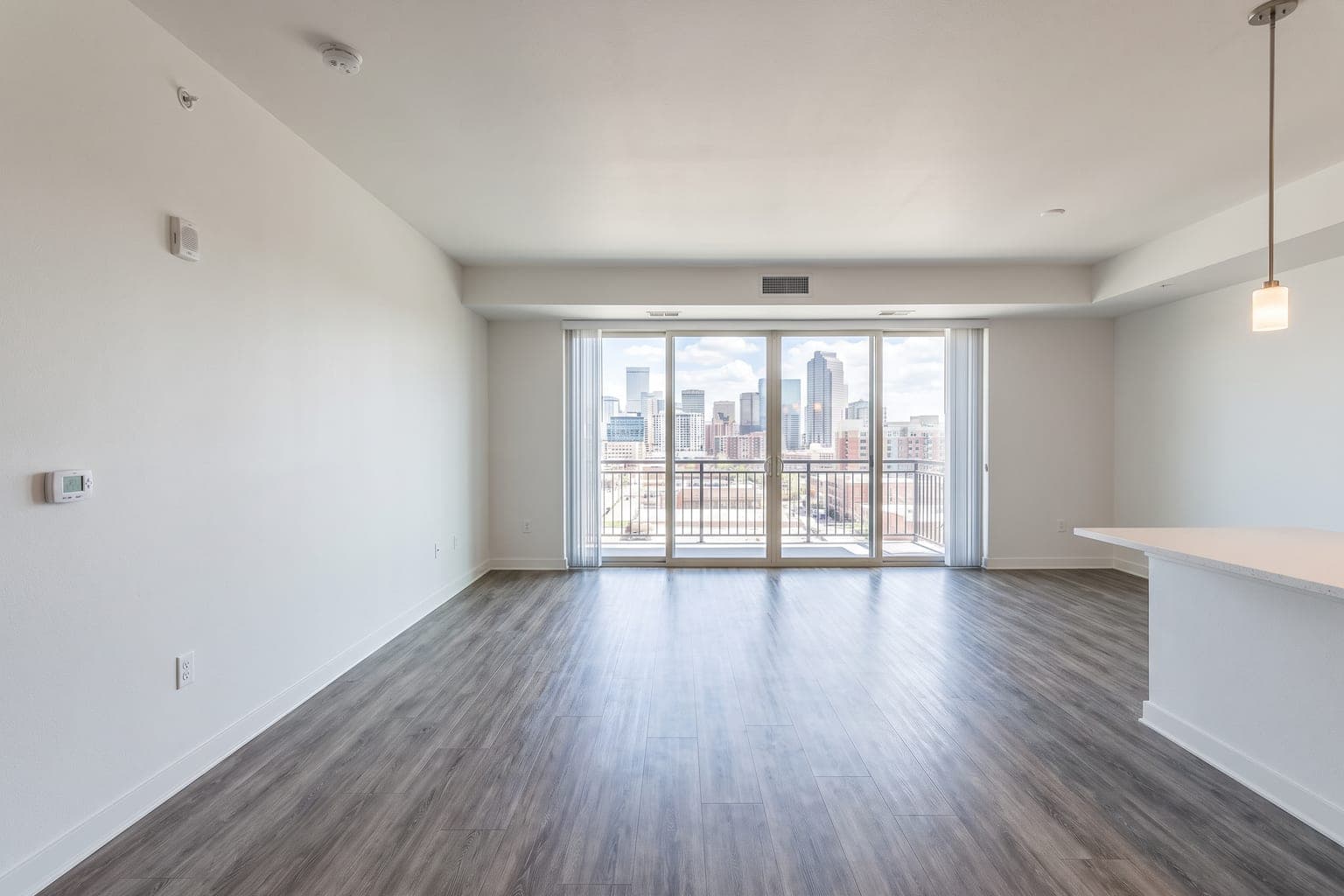
Result: This open-plan condo was zoned into a living area anchored by a sofa and credenza and a dining area by the kitchen peninsula, in mid-century modern style. The balcony door and skyline view stayed clear.
Related: AI room staging · AI furniture staging · industrial style for lofts
Home Office Virtual Staging
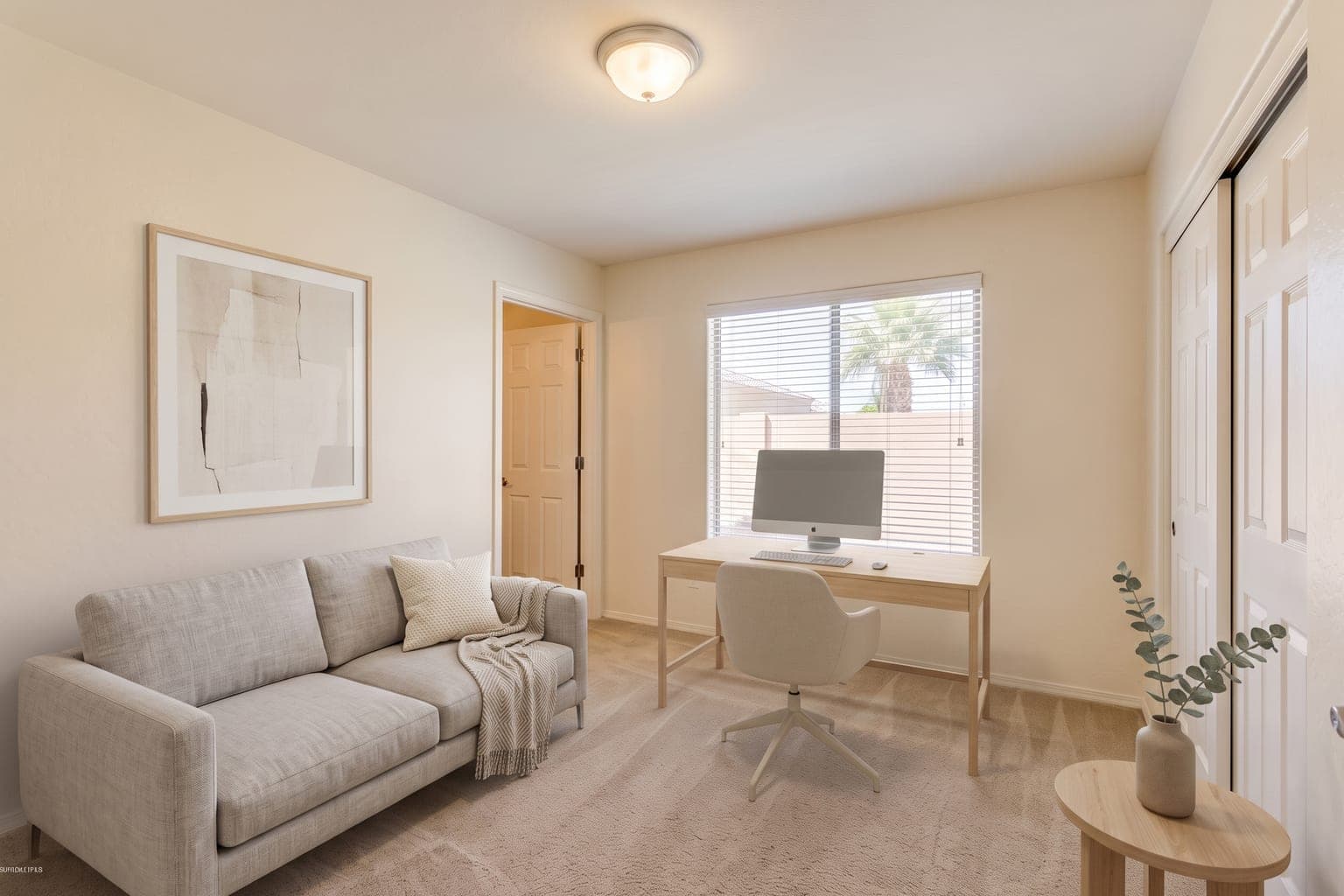
Best for: Spare rooms, flex spaces, and city apartments. A staged home office answers the question every post-2020 buyer asks — "where would I work from home?" — and gives small rooms a clear purpose.
 BeforeAfter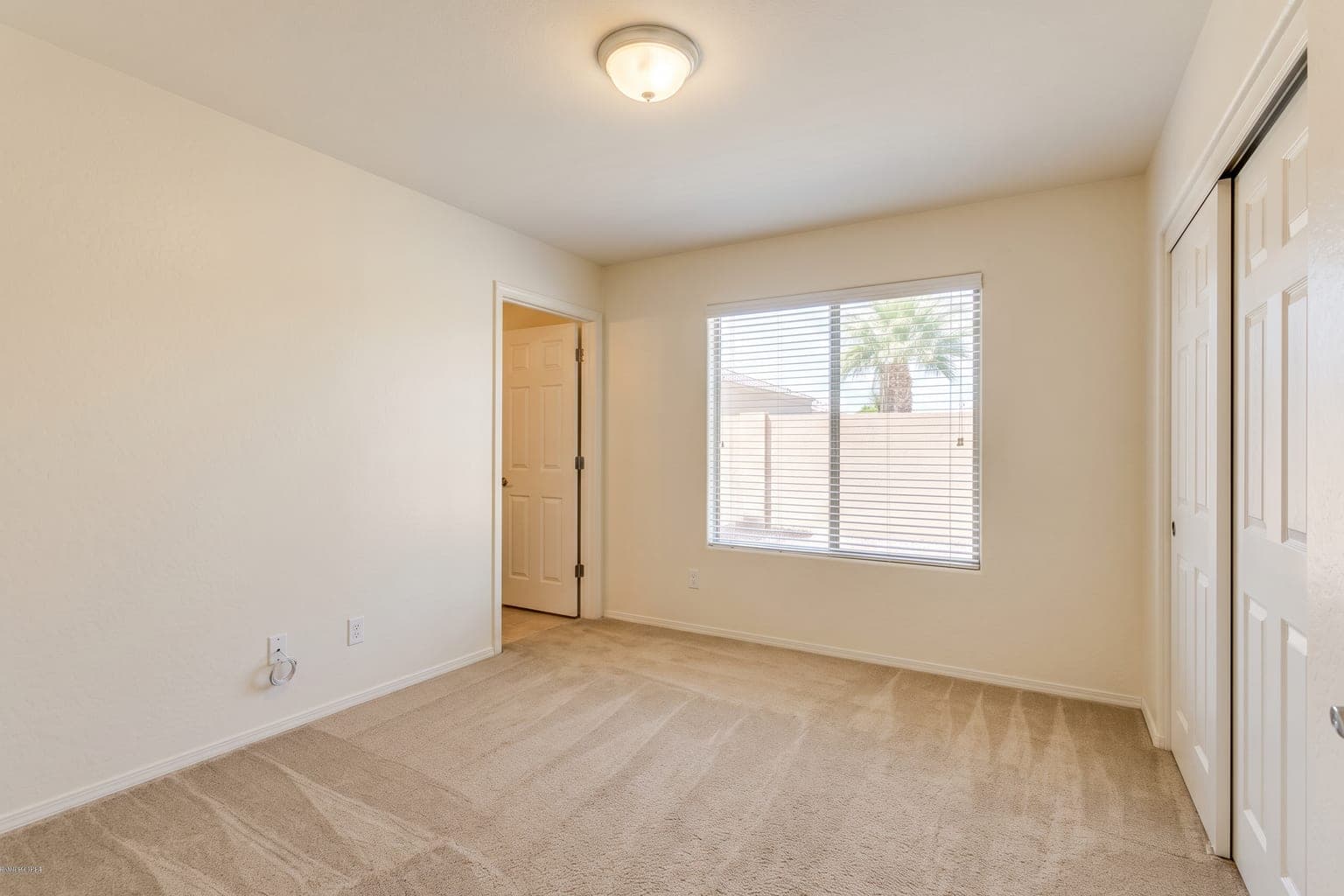
Result: This empty carpeted spare bedroom became a functional, inviting home office with a light-wood desk under the window, a task chair, a small sofa, and a plant. Precise Staging kept the carpet, closet doors, and window exactly as photographed.
Related: home office virtual staging · nursery staging · how to photograph rooms for staging
Mid-Century Modern Virtual Staging: 1960s Ranch
Best for: Ranches, split-levels, and other mid-century housing stock. Matching the furniture to the architecture makes an older home feel intentional instead of dated — and it is what design-aware buyers search for.
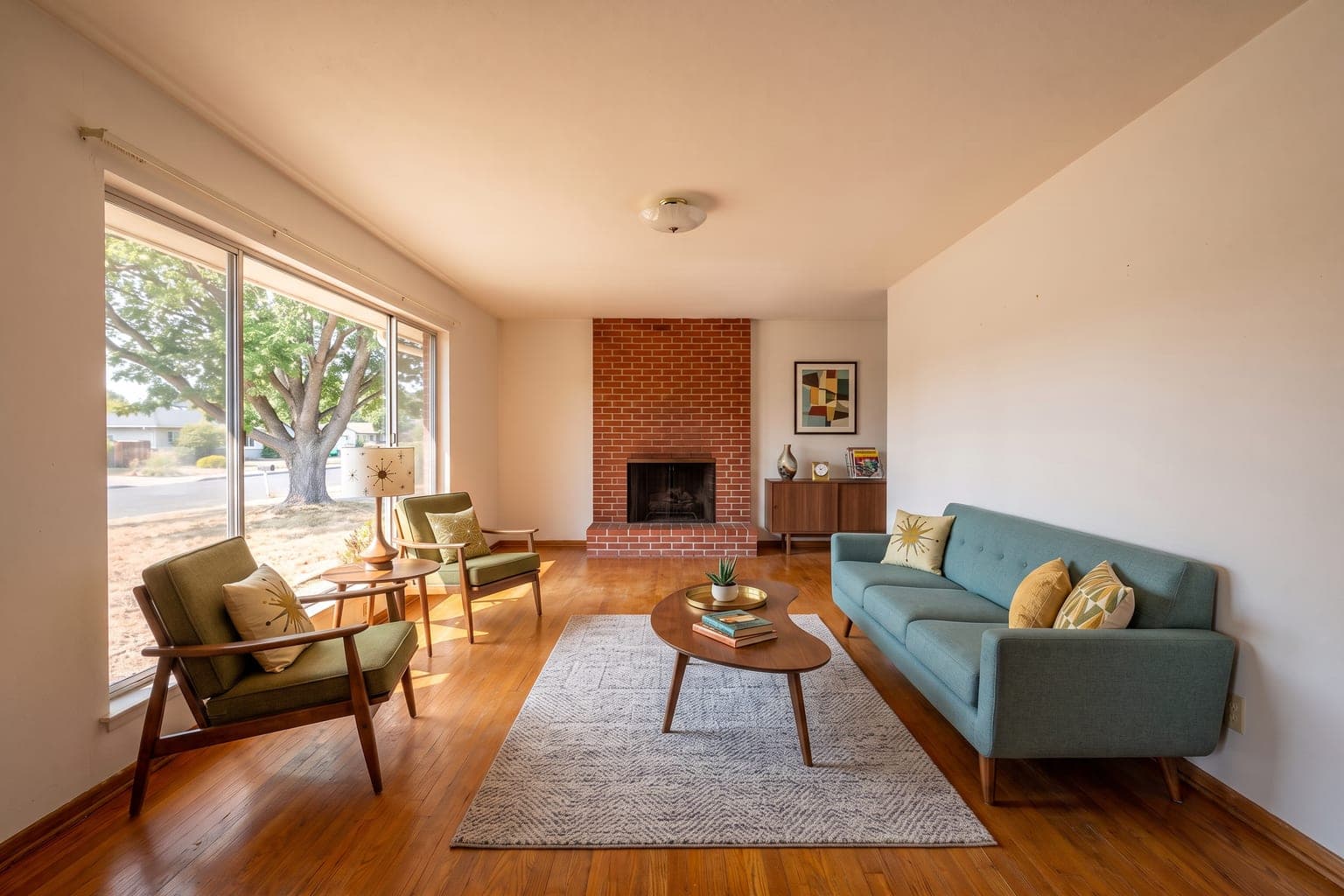 BeforeAfter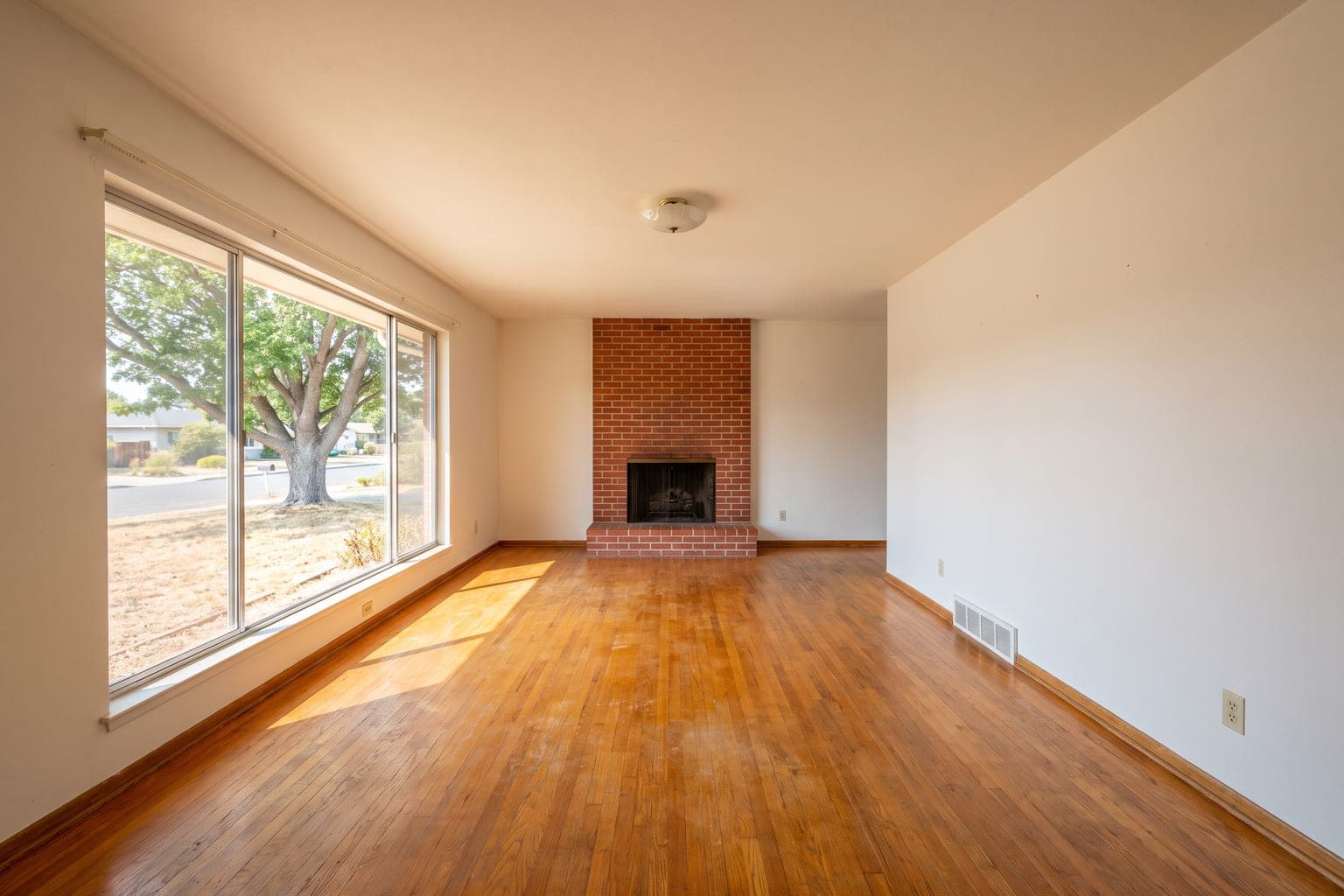
Result: This 1962 ranch living room, with its brick fireplace and big picture window, was staged with a teal sofa, walnut coffee table, and a pair of lounge chairs. The original oak floors and fireplace stayed untouched.
Related: mid-century modern virtual staging · Japandi style · minimalist style
Coastal Style Virtual Staging: Bedroom
Best for: Beach houses, vacation rentals, and waterfront listings. Coastal staging leans into light palettes, natural textures, and airy fabrics that match the setting buyers came for.
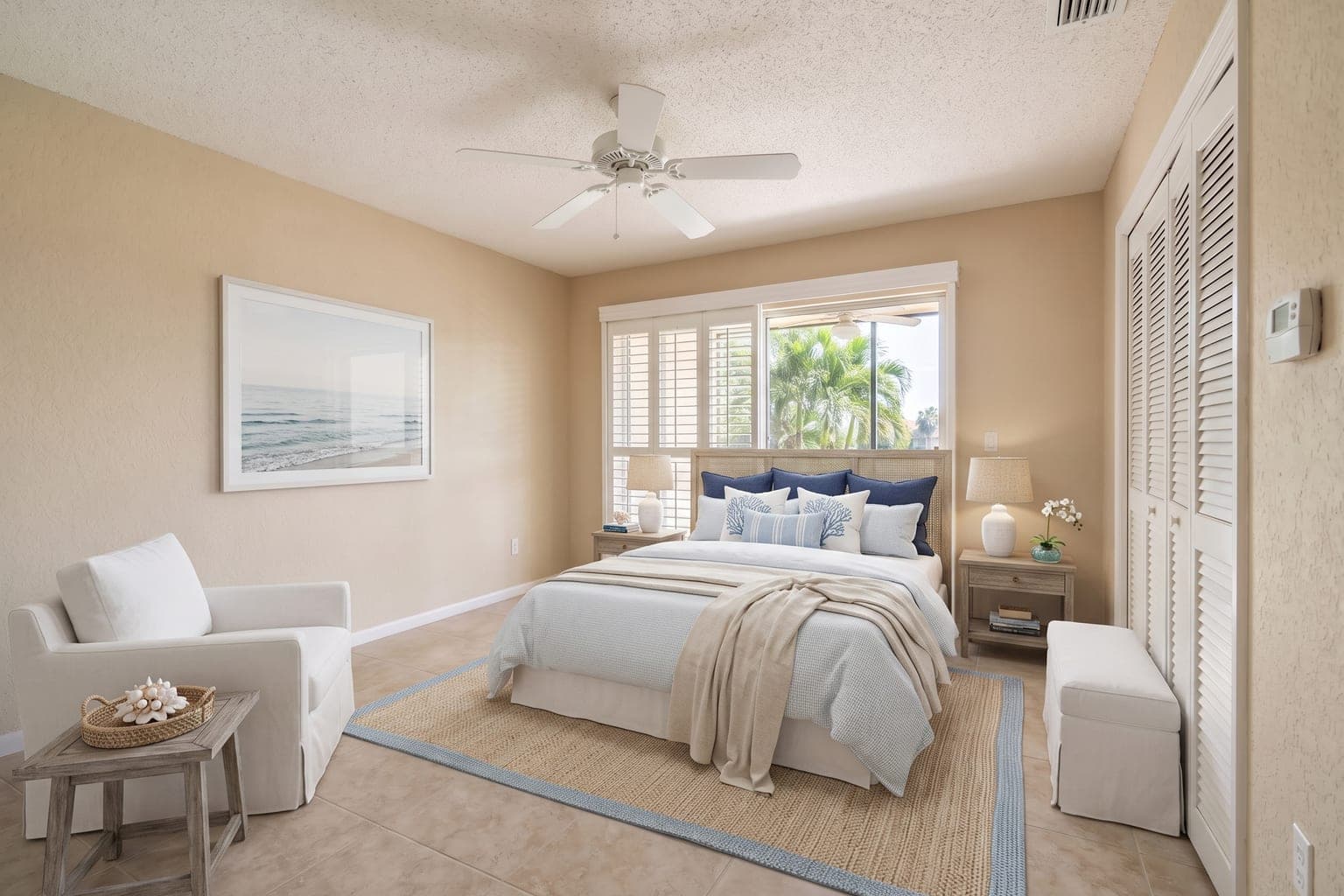 BeforeAfter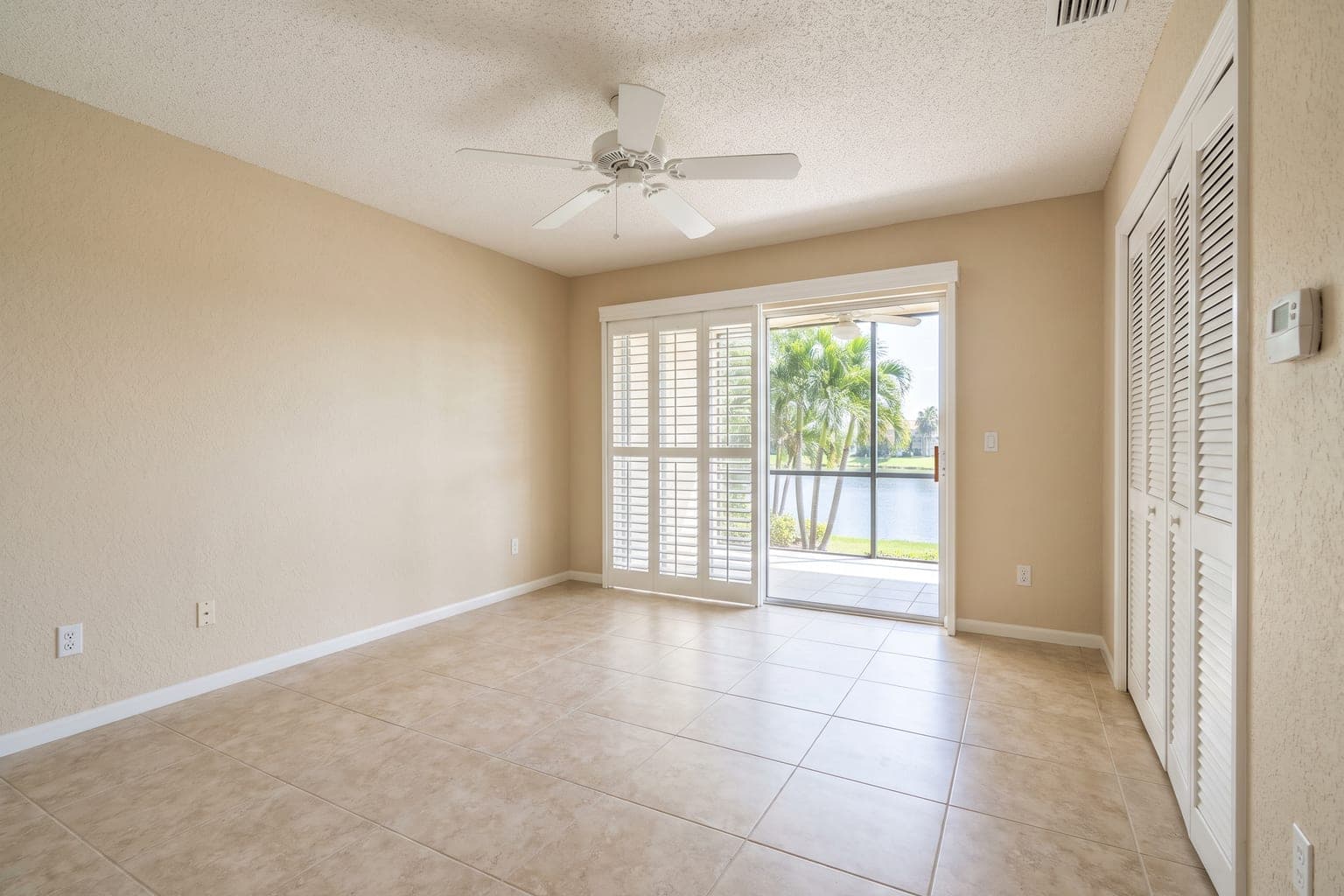
Result: This tiled Florida condo bedroom was staged with an upholstered bed, navy-and-white layers, a slipcovered armchair, and a bench — completing the coastal story the lanai and lake view start. Plantation shutters, tile, and closet doors stayed as photographed.
Related: coastal virtual staging · staging for Airbnb and rentals · sunroom staging
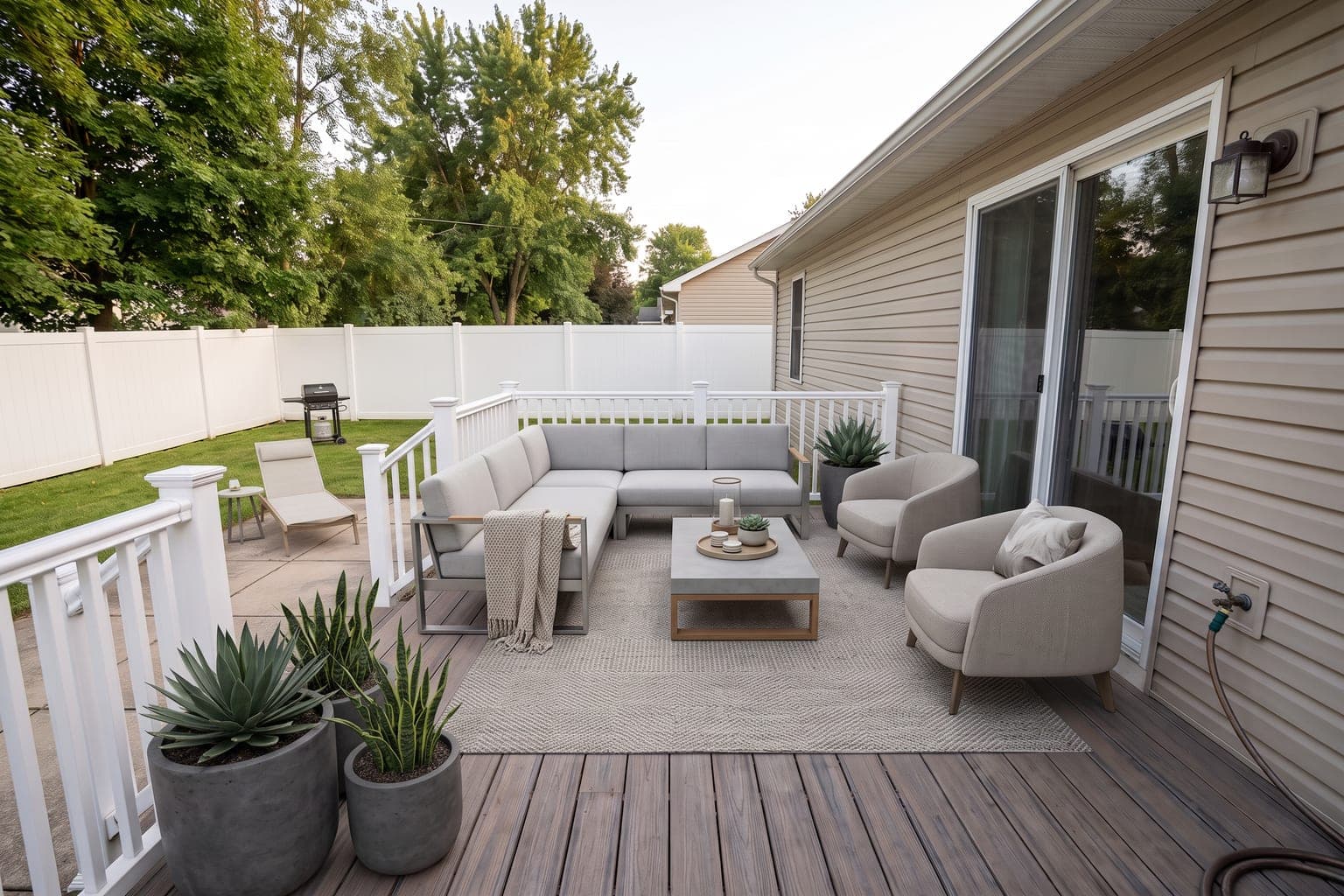
Outdoor & Patio Virtual Staging
Best for: Backyards, decks, and patios — the spaces that sell the lifestyle. Outdoor staging turns an empty slab into the entertaining area buyers pay a premium for.
 BeforeAfter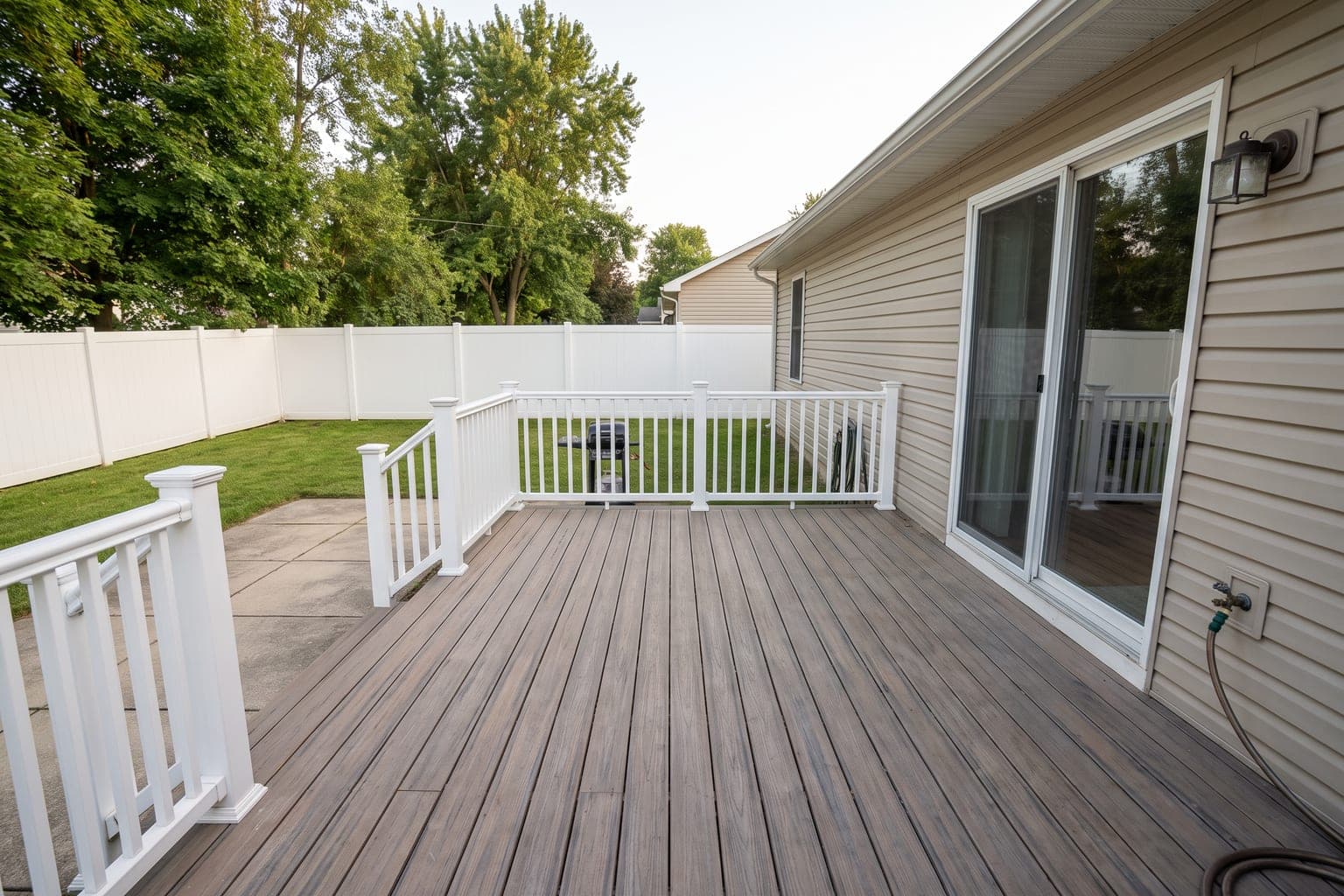
Result: This bare composite deck was staged with a weatherproof sectional, two lounge chairs, a coffee table, and planted pots — with the house, railing, lawn, and late-afternoon light untouched.
Related: patio and outdoor virtual staging · garage staging · basement staging
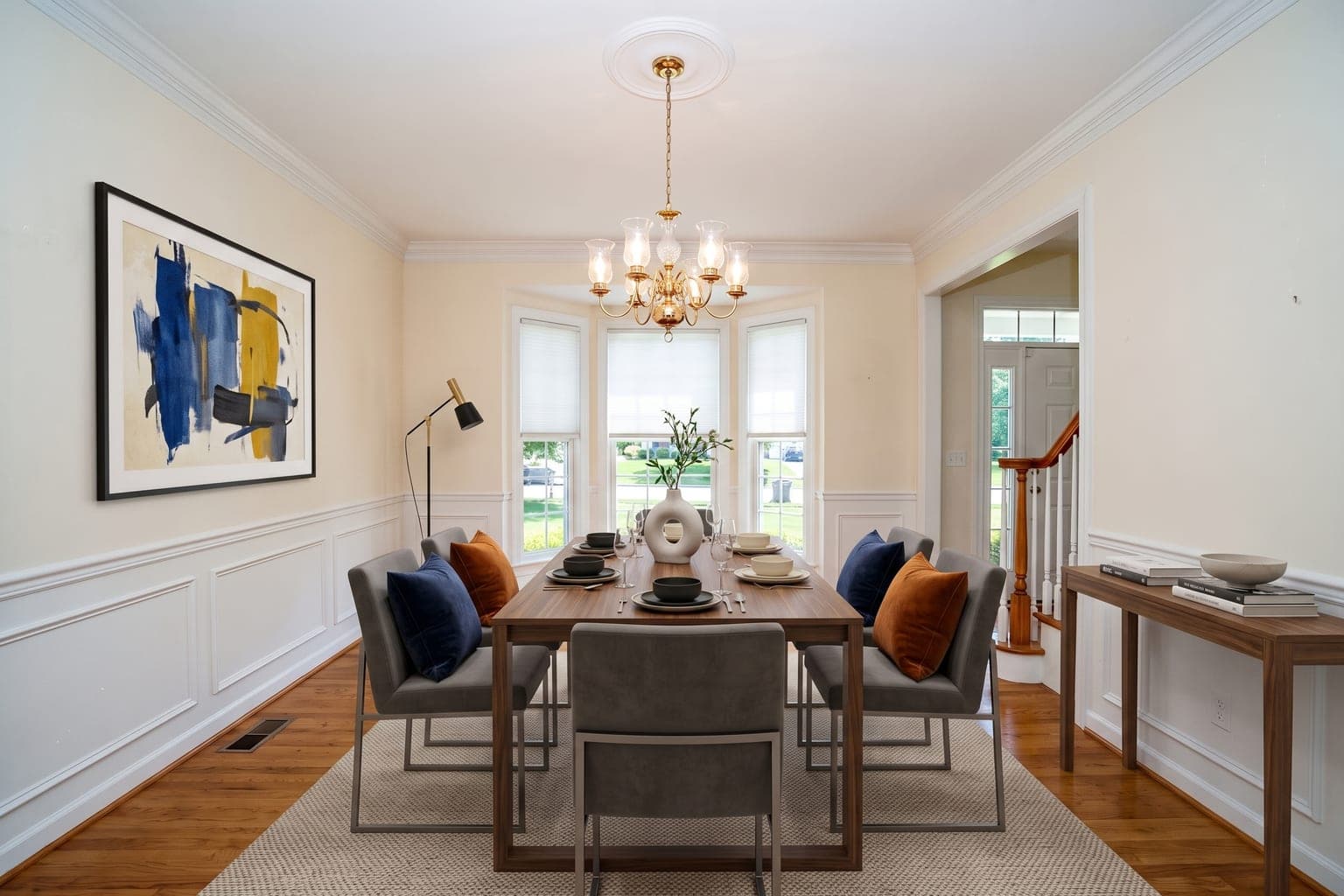
Contemporary Style Virtual Staging: Formal Dining Room
Best for: Traditional homes that need a current look. Contemporary staging pairs clean-lined furniture and bold art with the home's existing millwork, so a formal dining room reads fresh without a renovation.
 BeforeAfter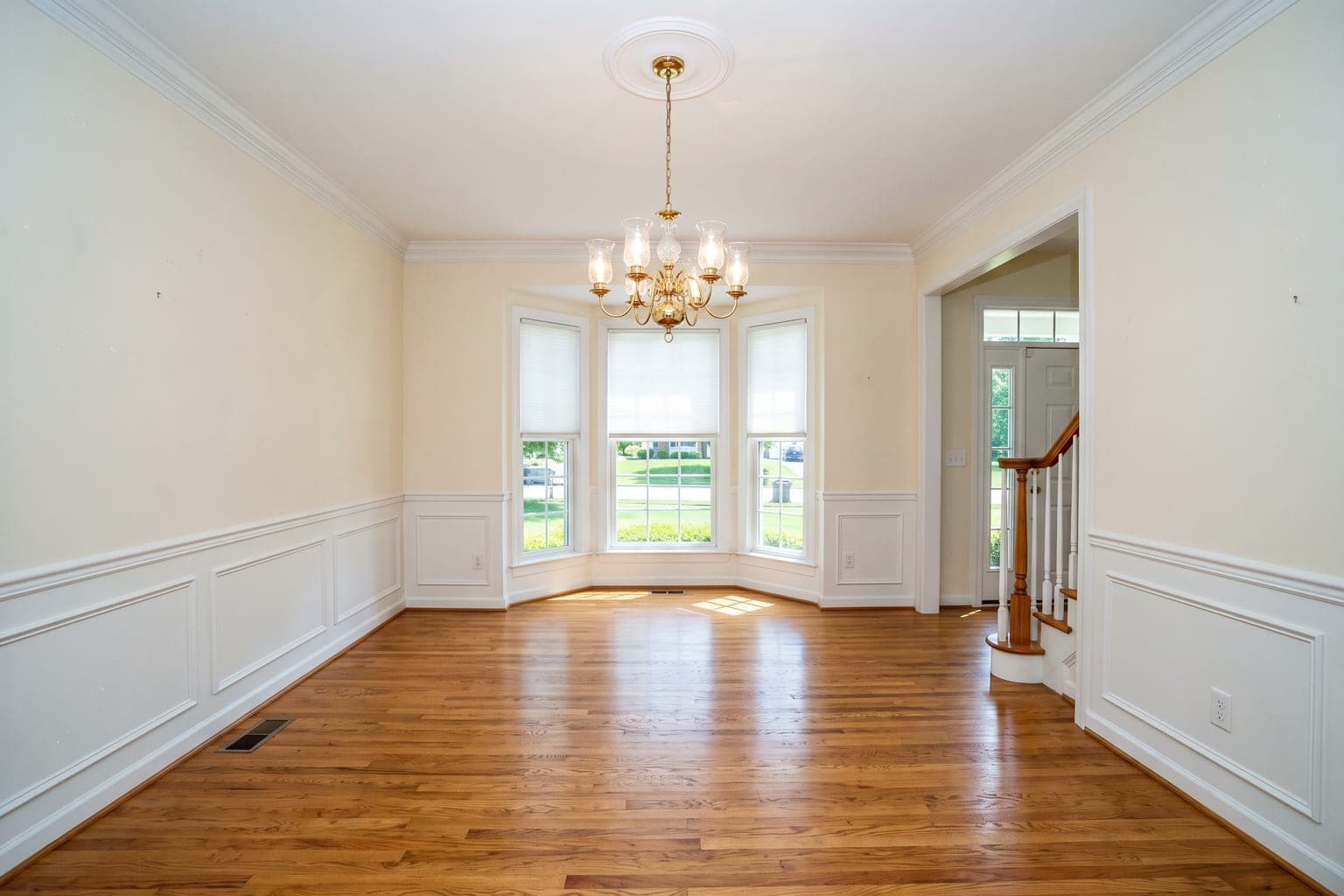
Result: This colonial dining room with wainscoting and a brass chandelier was staged with a walnut table, upholstered chairs, a console, and large abstract art. The AI kept the chandelier, bay window, and foyer view exactly as photographed.
Related: contemporary virtual staging · dining room virtual staging · traditional style
Who Uses AI Virtual Staging?
Real Estate Agents
Stage empty listings in seconds, not days. Staged listings sell 73% faster and for up to 25% more. Perfect for quick turnarounds and competitive markets.
Virtual staging for realtors →Real Estate Photographers
Add staging to every vacant-home shoot as a paid upsell. Stage at $0.28 an image, deliver with the photo package, keep the margin.
Virtual staging for photographers →Property Managers & Brokerages
Stage every vacant unit without a model apartment, and give every agent on the roster the same staging quality from one shared credit pack.
Virtual staging for property managers →Homeowners (FSBO)
Sell your home yourself with professional-looking photos. AI staging is more affordable than hiring a staging company. Get more offers faster.
Virtual staging for FSBO sellers →Ready to Stage Your Properties with AI?
Try StageHQ free — 3 AI staging credits, no credit card. Then prepaid packs from $0.28 an image, with no subscription and no expiry date.
No credit card required · 3 free images included