Apply Design Pricing vs StageHQ
Apply Design sells coins: $7–$10 each, 1.5 per staged image. StageHQ sells credits: $0.28–$0.95 per staged image.
Apply Design has moved from a human-edited service to a coin-based AI product. You buy Apply Coins at $10 each ($8 at 10–19 coins, $7 at 20+), then spend 1.5 coins per one-click staged 2D image or 1 coin per image in its drag-and-drop DIY editor, with item removal included and a stated 15-minute turnaround. That puts a one-click staged photo at $10.50–$15 and a DIY one at $7–$10. StageHQ prices the same job at $0.28–$0.95 per image with credits that never expire and renders in about 30 seconds. For the annual-cost math across every major vendor, see virtual staging pricing.
No credit card required · 3 free images included
Side by side
StageHQ vs Apply Design
| Feature | StageHQ | Apply Design |
|---|---|---|
| Pricing model | Credit packs: $19 / 20, $39 / 100, $69 / 250 images | Apply Coins: $10 each; $8 at 10–19 coins; $7 at 20+ coins |
| Cost per staged image | $0.28–$0.95 | One-click 2D: 1.5 coins = $10.50–$15 · DIY 2D: 1 coin = $7–$10 · 360°: 2–2.5 coins |
| 8-photo listing | $2–$8 | ~$84–$120 one-click (12 coins), ~$56–$80 DIY |
| Turnaround | ~15–30 seconds | ~15 minutes (one-click); instant in the DIY editor |
| How you work | Pick room, style and mode; AI stages the photo | One-click AI from your design preferences, or place furniture yourself in the DIY editor |
| Revisions | Re-render for one credit, variants in parallel | On-the-spot revisions (one-click); unlimited DIY revisions |
| Free trial | 3 free images + no-signup live demo | First image free |
| Unused balance | Credits never expire | Coins are prepaid; check current terms for expiry |
Competitor details reflect publicly available pricing and reviews as of June 2026 and may change — verify current terms with each provider.
What you get
This is StageHQ's output, unretouched
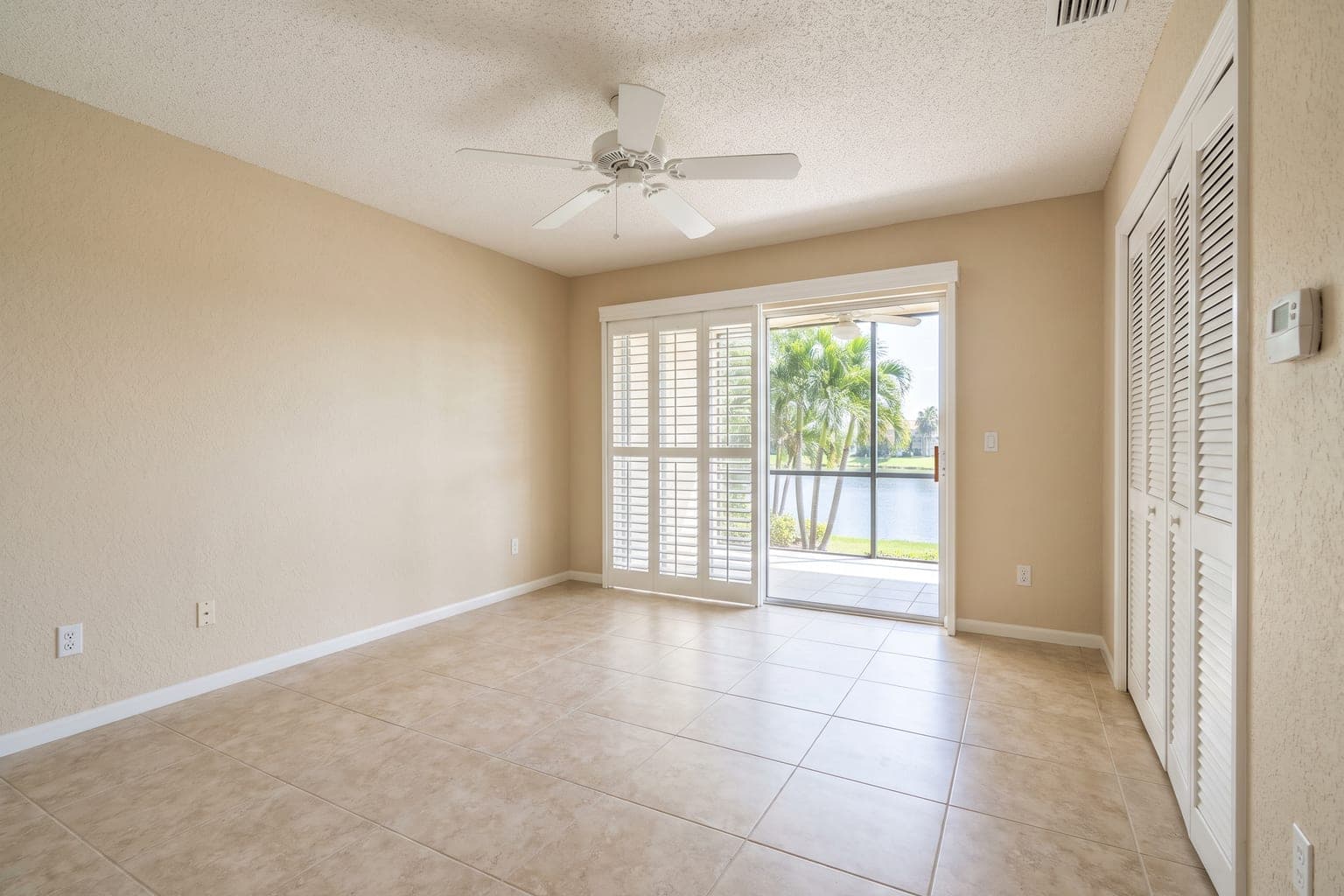 Before
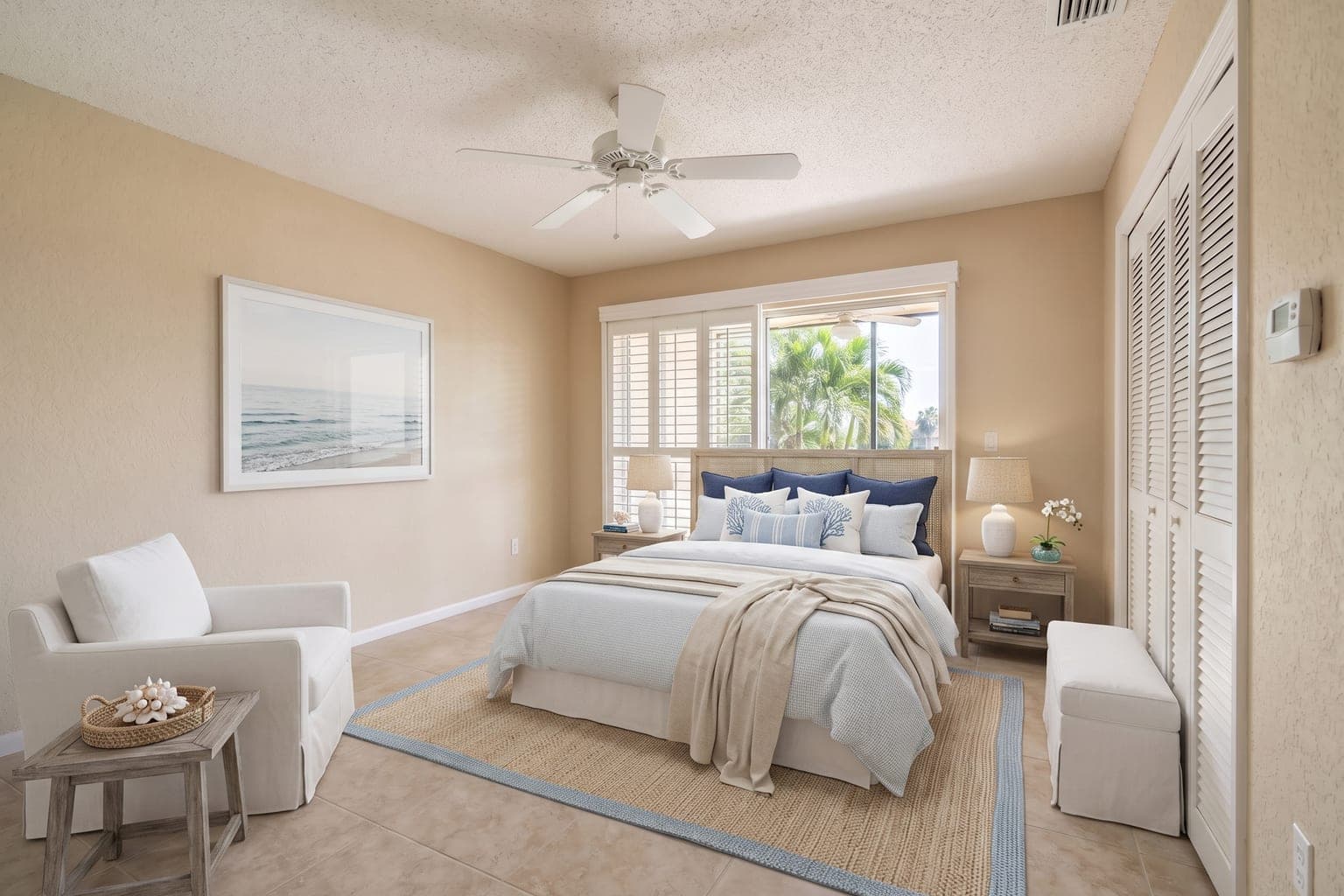 After
AfterMore examples by room and style on the before & after page, or stage your own photo in the live demo without signing up.
Why switch
Why Agents Pick StageHQ Over Apply Design
10–50x lower cost per image
A one-click Apply Design image is $10.50–$15; a DIY one is $7–$10. StageHQ's is $0.28–$0.95. Staging 100 photos a year costs $700–$1,500 in coins versus $39 on StageHQ's 100-credit pack.
Seconds, not a 15-minute queue
Apply Design quotes 15 minutes for one-click staging. StageHQ returns the render in about 30 seconds, so you can try three styles on a room in the time one Apply Design image is processing.
MLS-safe by default
StageHQ's Precise Staging mode leaves walls, floors and fixtures exactly as photographed and exports an MLS-sized JPG in one click — the disclosure workflow agents need under 2026 rules.
Fair is fair
Where Apply Design Holds Its Own
- A drag-and-drop DIY editor for agents who want to place specific pieces themselves rather than accept an AI layout.
- 360° image staging (2–2.5 coins), which StageHQ does not offer.
- Prepaid coins rather than a subscription — the same no-monthly-fee logic as StageHQ, at a higher price point.
The verdict
Choose Apply Design if you want to hand-place furniture in a DIY editor or need 360° staging, and $7–$15 an image fits your budget. Choose StageHQ if you want photorealistic AI staging in 30 seconds at $0.28–$0.95, with credits that wait for your next listing.
FAQ
StageHQ vs Apply Design: Common Questions
How much does Apply Design cost per image?
Apply Design sells Apply Coins at $10 each, $8 each for 10–19 coins, or $7 each for 20 or more (September 2026 pricing page). One-click virtual staging costs 1.5 coins per 2D image ($10.50–$15) and 2.5 coins per 360° image; the DIY editor costs 1 coin per 2D image ($7–$10) and 2 per 360°. Your first image is free.
Is Apply Design still a human-edited service?
Its current pricing page describes one-click AI staging with a 15-minute turnaround and a self-serve DIY editor, not the 24–48 hour human-edited service it was known for. Check their site for any remaining managed options; this page compares the published coin pricing.
How much does StageHQ cost compared to Apply Design?
StageHQ runs $0.28–$0.95 per image via prepaid credit packs ($19 for 20, $39 for 100, $69 for 250). Apply Design is $7–$15 per image depending on coin volume and mode. For a typical 8-photo listing that's $2–$8 versus roughly $56–$120.
Can I try StageHQ before committing?
Yes — the live demo works without an account, and signing up adds 3 free staging credits for your own photos. No credit card required. Apply Design's first image is also free, so you can stage the same room on both before buying anything.
Explore More Virtual Staging
Staging Solutions
AI Staging Tools
Staging for Your Role
Virtual Staging by Room
Virtual Staging by Style
- Modern Virtual Staging
- Scandinavian Virtual Staging
- Farmhouse Virtual Staging
- Luxury Virtual Staging
- Minimalist Virtual Staging
- Mid-Century Modern Virtual Staging
- Coastal Virtual Staging
- Industrial Virtual Staging
- Boho Virtual Staging
- Japandi Virtual Staging
- Traditional Virtual Staging
- Contemporary Virtual Staging
Guides & Comparisons
- What Is Virtual Staging?
- Virtual Staging Cost Guide
- Virtual Staging Statistics
- MLS Rules & Disclosure
- Is Virtual Staging Worth It?
- Photo Guide for Virtual Staging
- Virtual Staging Pricing Compared
- Virtual Staging AI Alternative
- REimagineHome Alternative
- Collov AI Alternative
- BoxBrownie Alternative
- AI vs Traditional Virtual Staging
Stage Your Next Listing for $0.28, Not $25
Upload a photo, pick a style, and judge the quality yourself — 3 free images, no credit card, results in 30 seconds.
No credit card required · 3 free images included