Guide · 7 min read
What Is Virtual Staging?
Virtual staging is the digital furnishing of empty real-estate photos — furniture, rugs and decor composited into the image so online buyers can read the room. AI tools like StageHQ do it in about 30 seconds from $0.28 an image; human editors take a day or two at $24–$39.
· By the StageHQ team
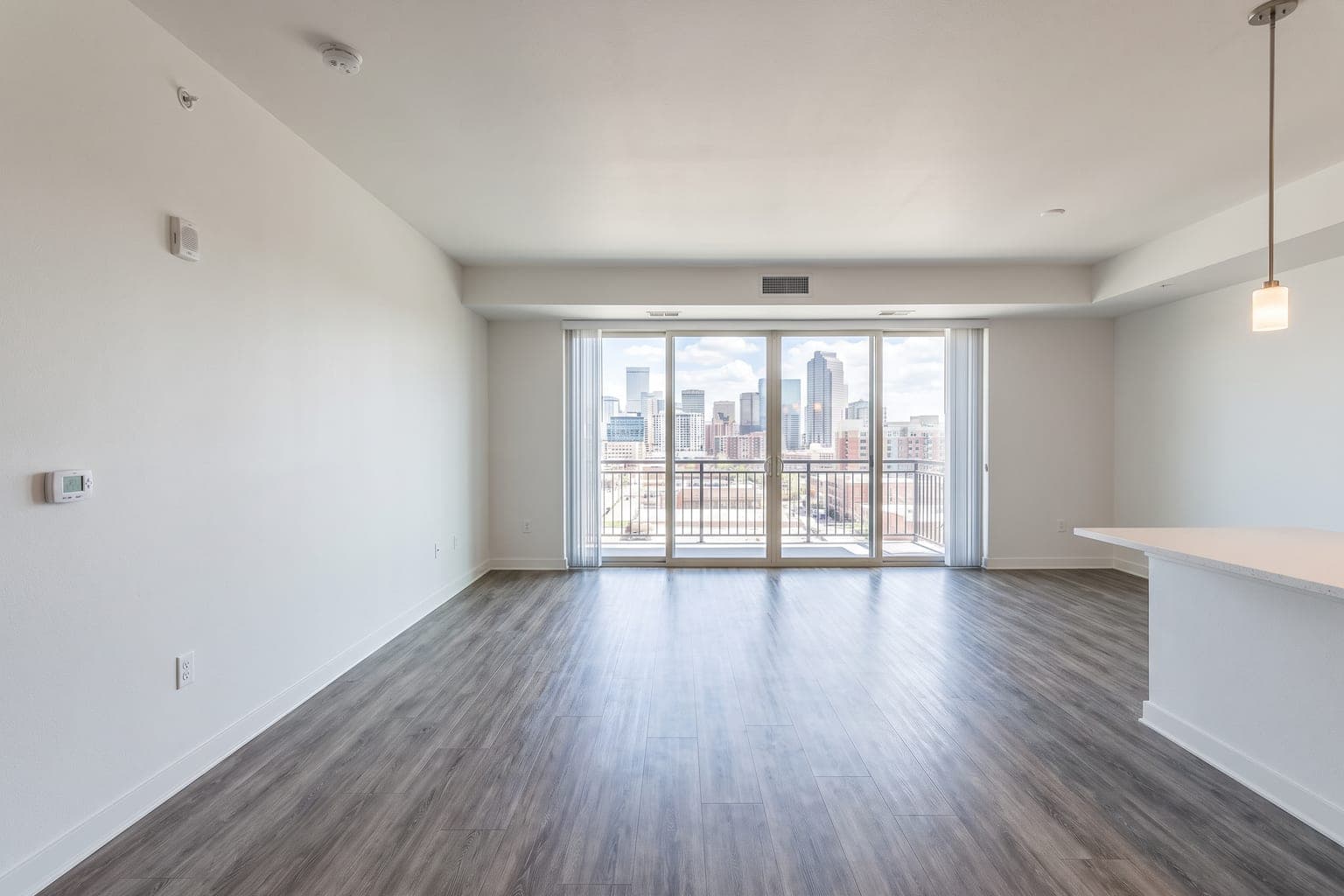 Before
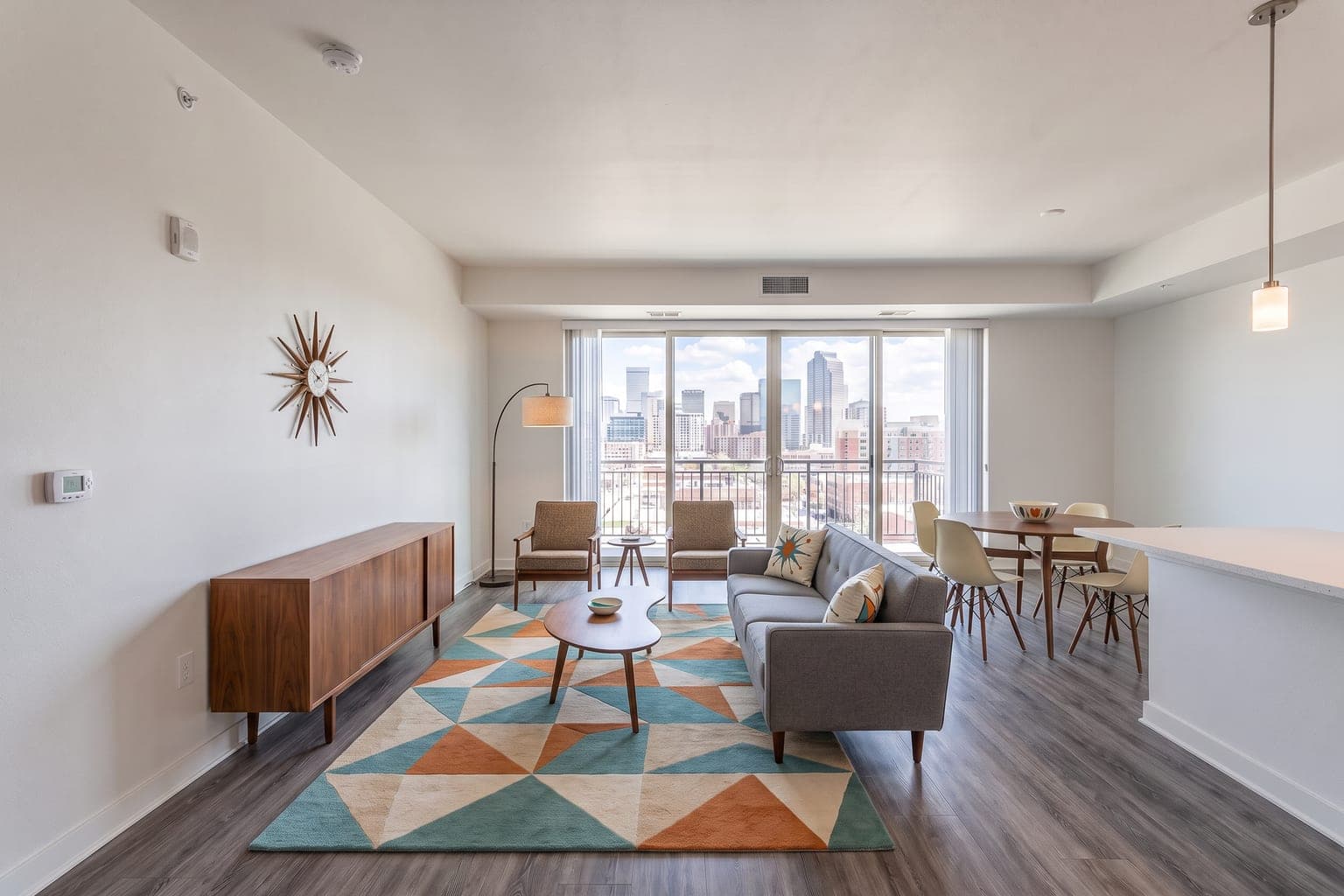 After
AfterVirtual staging is the practice of digitally adding furniture, rugs, lighting and decor to a photograph of an empty (or sparsely furnished) room so buyers scrolling a listing can picture living there. Nothing is delivered to the property — the staging exists only in the photo. Agents use it because nearly every buyer starts online, empty rooms photograph poorly, and a staged lead image lifts clicks, saves and showings. In 2026 most virtual staging is done by AI in about 30 seconds for under a dollar a photo; traditional services still use human editors at $24–$39 an image with a 24–48 hour turnaround.
- AI staging turnaround
- ~30 sec
- AI cost per image
- $0.28+
- faster sales, staged vs unstaged
- 73%
- of physical staging cost
- ~1%
How virtual staging works
You start with a photo of the room — ideally shot from a doorway at chest height with a full wall and plenty of floor visible (see how to photograph rooms for staging). The staging tool reads the room's geometry and light, places correctly scaled furniture in a chosen style, and returns a photorealistic image. With AI the loop is upload → pick a style → download in under a minute. With a human editor you send a brief and wait a day or two for a compositor to finish the same job in Photoshop or a 3D suite.
- Upload an empty-room listing photo (phone photos work if verticals are straight and the room is bright).
- Choose a style that matches the property and buyer — modern, farmhouse, luxury, Scandinavian, and dozens more.
- Review the render; re-run in another style if needed (AI re-renders cost one credit and ~30 seconds).
- Export an MLS-sized JPG, disclose that the image is virtually staged, and publish.
Virtual staging vs physical staging
Physical staging rents real furniture, delivers it, styles the rooms and removes it when the listing closes — typically $2,000–$5,000+ per room per month. Virtual staging produces the listing photos buyers actually see first at roughly 1% of that cost, with none of the logistics. Physical staging still earns its keep for luxury open houses where buyers walk the property repeatedly; most agents now do virtual for every vacant listing's photos and reserve physical for the price bands that justify it. The full ROI math is in is virtual staging worth it?.
| Virtual staging | Physical staging | |
|---|---|---|
| What buyers see online | Furnished listing photos | Furnished listing photos |
| What is on site | Empty (or as-is) rooms | Real furniture in place |
| Cost, typical vacant listing | $2–$280 depending on method | $2,000–$12,000+ |
| Turnaround | Seconds (AI) to 48 hours (human) | Days to schedule and install |
| Best for | MLS photos, portals, social | Luxury in-person showings |
AI virtual staging vs traditional (human-edited)
Both are virtual staging — the difference is who places the furniture. AI tools generate the staged image automatically; traditional services like BoxBrownie and Apply Design put a human editor on every photo. For standard vacant-room listing staging, modern AI is photorealistic and the visible quality gap has largely closed. Human editors still win on bespoke briefs ("put Grandmother's sofa under that window"). Side-by-side detail lives in AI vs traditional virtual staging; tool rankings in best virtual staging software.
What virtual staging costs
In 2026, AI staging runs $0.24–$2.67 per image (pay-as-you-go credits from $0.28 at the low end, yearly-billed subscriptions at the high end); human-edited services charge $24–$39 per image; flat-rate listing services charge $59–$149. An eight-photo vacant listing therefore costs about $2–$8 with AI credits or $192–$312 with human editors. Provider-by-provider rates and annual-cost math are in the virtual staging cost guide and the pricing comparison.
Is virtual staging allowed on the MLS?
Yes — virtually every US MLS allows it when the staging is disclosed and the image does not misrepresent the property (no erased cracks, no invented windows, no moved walls). Best practice is a clear "virtually staged" label on or beside the image. California's AB 723 (effective 2026) also requires a link or QR to the original unaltered photo. StageHQ's Precise Staging mode leaves walls, floors and fixtures untouched and exports an MLS-sized JPG; the full rules are in the MLS virtual staging guide.
Who uses virtual staging
- Real estate agents and brokers — vacant and dated listings that need to compete on portals.
- Real estate photographers — staging as a line item on every vacant shoot.
- Property managers and landlords — rental units that photograph empty between tenants.
- Home flippers and builders — pre-renovation and model-home marketing.
- Airbnb and short-term rental hosts — testing a look before buying furniture.
Room-by-room and style examples
Virtual staging is most often applied to living rooms, primary bedrooms, kitchens, dining rooms and basements — the rooms that decide a click. Browse before-and-after examples by room and style, or jump straight to living room, bedroom, kitchen, modern, farmhouse or luxury staging.
How to get started
The fastest evaluation is free: StageHQ's live demo needs no account, and every new account includes 3 staging credits. Stage three of your own listing photos, compare the output to a human-edited quote if you want, then buy credits only if the quality clears your bar. For tools that offer any free tier at all, see best free virtual staging apps.
See virtual staging on your own listing
Upload a vacant-room photo, pick a style, and get a photorealistic result in about 30 seconds — 3 images free, no subscription.